Open the editor
Click "Launch the editor". A 64³ grid loads in the browser, instantly. Nothing to install.
Voxel creator, builder, maker, painter - free in your browser.
A complete voxel creator, builder, maker and painter in the browser. Build voxel models from scratch with proper drawing tools, paint colors, animate frame by frame, and export to game-ready GLB or pixel art sprite sheet. Voxel art online via WebGL - no install, autosaved in IndexedDB. Pair it with the AI generator if you want a head start instead of starting from a blank grid.
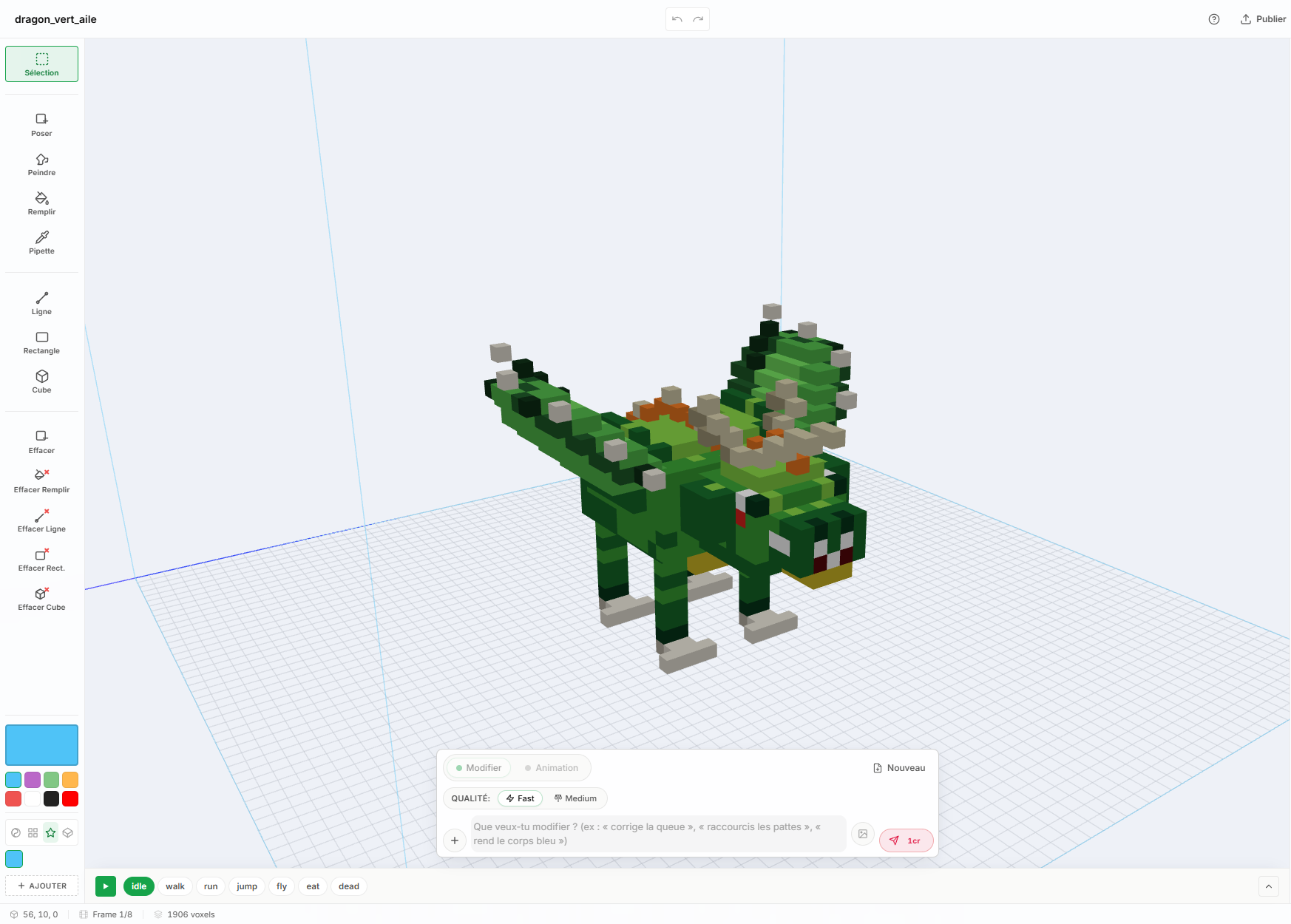
Click "Launch the editor". A 64³ grid loads in the browser, instantly. Nothing to install.
Box, Line, Paint, Place, Rect, Eyedropper, Voxel Fill, Remove. Each works in 3D with smart plane inference.
Lay down voxels, paint colors, add frames for animations. Undo/redo for everything. Camera orbit, zoom, fly mode.
Animated GLB for 3D engines, pixel art sprite sheet for 2D engines. Or publish to the community gallery.
Box, Line, Paint, Place, Rect, Eyedropper, Voxel Fill, Remove. Each one works in 3D space - click on a face, the tool infers the right plane.
Animations are stacks of frames. Edit each frame in place, scrub through, replay live in the editor.
Every voxel placement, paint stroke, palette change is reversible. History persists during the session.
Orbit by default, fly mode for power users, voxel-aligned framing on demand. Zoom is pixel-aligned so the model never goes blurry.
The render uses a greedy mesher in pure JS - same logic as the GLB export - so the editor preview looks identical to your final asset.
Your work is autosaved to localStorage as you go. No login, no upload, no waiting.
Every model in the gallery was built with this editor - sometimes from scratch, sometimes built on top of an AI starting point. Each one is downloadable, browsable in 3D, and exportable.
Yes. The full voxel editor - every drawing tool, undo/redo, the camera, GLB and sprite sheet export - is free. Credits are only used by the AI generation features (text-to-voxel, add animation), not by manual editing.
All three. It is a voxel creator (start from a blank grid), a voxel builder (place, paint and combine voxels with proper drawing tools), a voxel maker (output GLB / sprite sheet / publish to the gallery), and a voxel painter (Paint tool + Eyedropper, palette of up to 256 colors). One tool covers the full workflow.
No. The editor runs entirely in the browser using WebGL via Three.js. Works on Chrome, Firefox, Safari, Edge. No download, no plugin, no Blender, no MagicaVoxel. Voxel art online in the literal sense.
MagicaVoxel and Goxel are desktop apps (download, install, native binary). This is browser-only - same drawing tools (Box, Line, Paint, Place, Eyedropper, Fill), but accessible from any device, no install. Plus integrated AI generation, sprite sheet export, and a community gallery. Where the desktop apps shine: massive scenes (256³+). Where this shines: speed-to-result, animations baked-in, multi-platform.
The editor uses a 64×64×64 grid. AI-generated content targets 32×32×32 by default but the canvas is large enough to scale up. Imported 3D models can fill the full 64³ box.
Box, Line, Paint, Place, Rect, Eyedropper, Voxel Fill, Remove. Each works in 3D - pick a tool, click in the scene, and place voxels along the inferred plane. Paint mode acts as a voxel painter (color over existing voxels without moving them); Place mode acts as a voxel builder (lay down new voxels in 3D space).
Yes. Animations are sequences of frames; you edit each frame directly in the editor with the same tools, then play back to verify timing. AI generation can also produce animations from a prompt.
Saves are persisted in IndexedDB automatically (no signup needed). With an account, you can also publish to the community gallery to keep them on the server.
Yes - animated GLB (glTF binary, ready for Three.js, Unity, Godot, Blender) or pixel art sprite sheet PNG (8 directions, 4 isos, top, bottom).
Yes - pair it with the AI voxel generator: type a prompt, get a starting model, refine it in the editor. The generator does the heavy lifting, the editor lets you tweak voxel by voxel.
No signup, no install. Browser-only.