Free sprite sheets
Download animated pixel art sprite sheet PNGs - 8-direction, transparent, ready for your 2D engine.
Every sprite sheet is generated from 3D voxel models - crisp 1 voxel = 1 pixel look, multi-frame animations, 8 horizontal directions + isometric views. No watermark, no signup, no royalty.
Popular sprite sheets.
-
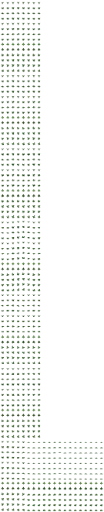 idle, walk, run, jump
Winged green dragon
Sprite sheet PNG · 8-direction · free
View / download → -
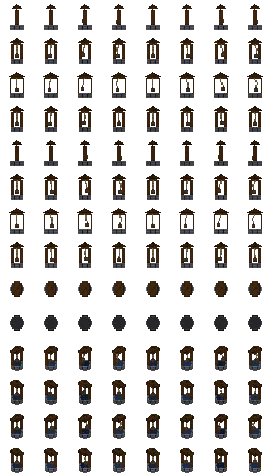 idle
idle
Water Well
Sprite sheet PNG · 8-direction · free
View / download → -
 idle, drive, drive_fast, crash
Red sports car
Sprite sheet PNG · 8-direction · free
View / download → -
 idle, walk, run, jump
Holstein Cow
Sprite sheet PNG · 8-direction · free
View / download → -
 idle, walk, run, jump
Pink Pig
Sprite sheet PNG · 8-direction · free
View / download → -
 idle, dance, wave
Swing Dancer NPC
Sprite sheet PNG · 8-direction · free
View / download → -
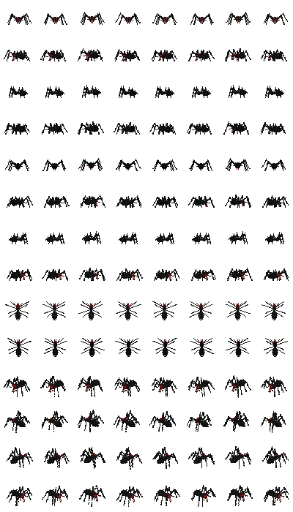 idle
idle
Giant Spider
Sprite sheet PNG · 8-direction · free
View / download → -
 idle, drive, drift, jump
Red Sports Car
Sprite sheet PNG · 8-direction · free
View / download → -
 idle, wave, walk
NPC Orchestra Conductor
Sprite sheet PNG · 8-direction · free
View / download → -
 idle, walk, run, attack
Green T-Rex Dinosaur
Sprite sheet PNG · 8-direction · free
View / download → -
 idle, walk, swim, jump
Green Octopus
Sprite sheet PNG · 8-direction · free
View / download → -
 idle, wheels
Voiture berline bleue
Sprite sheet PNG · 8-direction · free
View / download →
Why our sprite sheets?
-
Crisp pixel art
1 voxel = 1 pixel by default. No filtering, no antialiasing - sharp edges, clean palette, authentic pixel look.
-
8 directions
Front, front-right, right, back-right, back, back-left, left, front-left. Match input vectors to the direction index and you have 8-way out of the box.
-
Multi-animation
idle, walk, attack, jump, death - all in the same sheet. One row per animation, set `animation_name` on AnimatedSprite2D and you're done.
-
Isometric variant
35.26° iso view (atan(1/√2)) - aligns with Godot IsometricTileMap, Unity Isometric Tilemap, Diablo/Stardew-like games.
-
Transparent PNG
Straight alpha (not premultiplied), sharp edges, drops into every major engine's default sprite import settings.
-
Re-exportable
Want to add an animation later? Re-export the sheet from the same voxel source - consistency guaranteed across every direction.
Compatible with your 2D engine.
-
Godot 4
AnimatedSprite2D, Sprite2D + Animation node, frame layout matches SpriteFrames.
Open guide → -
Unity 2D
Sprite Editor Grid by Cell Size, Animator with Animation Clips, pixel-perfect setup.
Open guide → -
Phaser 3
this.load.spritesheet + this.anims.generateFrameNumbers, 2 lines of code.
Open guide → -
Isometric RPG
Diablo, Stardew, JRPG: 35.26° iso view, 4 cardinal facings.
Open guide → -
8-direction
Top-down, twin-stick: 8 horizontal directions per animation.
Open guide →
Common questions.
- Are the sprite sheets really free?
- Yes. Every sprite sheet PNG is free to download, no watermark, no signup, no royalty. Use them in personal projects, jam games and commercial projects.
- What is the sprite sheet layout?
- Regular grid - one row per animation, one column per frame. Default cell size is 64×64 px. The grid is uniform so engines slice it in one click (Unity Sprite Editor Grid by Cell Size, Godot SpriteFrames import, Phaser load.spritesheet).
- How many directions per sprite?
- 8 horizontal directions (every 45°) for top-down games, OR 4 isometric views at 35.26° elevation for iso RPGs. Top and bottom views also available. Match your input vectors to the direction index and you have 8-way movement.
- Do they work with Godot 4?
- Yes - the PNG drops straight into AnimatedSprite2D or Sprite2D + Animation node. Frame layout matches Godot SpriteFrames conventions, transparent PNG with no premultiplied alpha.
- Do they work with Unity 2D?
- Yes - import as Sprite (2D and UI), set Sprite Mode = Multiple, Grid by Cell Size with cellSize = 64. Set Filter Mode = Point and Compression = None for the crispest pixel look.
- Do they work with Phaser 3?
- Yes - load with `this.load.spritesheet('hero', 'hero.png', { frameWidth: 64, frameHeight: 64 })`. Create animations with `this.anims.create({ key: 'walk', frames: this.anims.generateFrameNumbers('hero', { start: 0, end: 7 }) })`.
- Can I generate my own sprite sheet?
- Yes - either build a voxel in the editor and export, or generate one from an AI prompt. The sprite sheet is produced from the 3D source in the browser, no server-side render queue.
Browse the full gallery.
More sprite sheets, tag filters, sort by popularity.